

Fiber ISPs and NOC teams are drowning in alarm noise. Learn how AI tools for IT support ticket triage reduce ticket volume, speed resolution, and produce board-ready SLA reports, without adding headcount.
For your NOC Lead:
- Less alarm noise, cleaner tickets, fewer unnecessary escalations
- Consistent triage every time, even at 2 am, even when someone quits
- AI reads your historical logs and writes the ticket before a human starts typing
For your CFO / COO:
- Scale from 22K to 80K+ subscribers without linear headcount growth
- Board-ready SLA reporting generated automatically every month
- Reduce turnover risk, training cost, and after-hours coverage gaps
Automate Your Triage
Scale your fiber network to 80K+ subscribers without hiring more Tier 1 staff. Pyra turns chaotic alerts into board-ready SLA reports.
A guide for fiber operators and NOC teams who need to scale support – without scaling headcount.
PICK YOUR SEAT (click role below)
Role What You’ll Get From This Page NOC / Ops Leader Noise reduction, consistent triage, Tier 2 protection, knowledge retention Engineer How the AI reads logs, writes tickets, routes issues, and when humans stay in control Executive / CFO / PE-Backed Board Non-linear scaling, SLA reporting, cost math, risk reduction
The Moment Everything Gets Noisy
A customer calls in. “My internet’s not working.”
Simple enough, right?
Except now your Tier 1 tech is checking three systems. Your Tier 2 engineer just got pulled off something else. And somewhere in the background, 12 separate alarms are firing because a port is flapping.
One problem. Twelve alerts. Zero clean answers.
This is the reality for most fiber operators and NOC teams trying to scale. The issue isn’t bandwidth. It isn’t even staffing — not exactly. The real bottleneck is triage: getting the right information, in the right order, fast enough to fix the problem before the customer hangs up frustrated.
That’s exactly what AI tools for IT support ticket triage are built to solve.
This guide breaks down the triage workflow, explains how AI fits into it, and shows you what it looks like when it actually works — including the SLA reports your board wants to see.
According to the FCC’s Broadband Data Collection, fiber deployment is accelerating across the U.S., which means more subscribers, more tickets, and more pressure on NOC teams to do more with the same headcount.
Table of Contents
- Why Ticket Triage Breaks When a Network Scales
- What “Ticket Triage” Means in a NOC
- Ticket Triage Process: The 7 Steps That Prevent Chaos
- Where AI Fits: What the Agent Does Before a Person Touches the Ticket
- Alarm Aggregation: Turning Alert Storms Into One Root-Cause Ticket
- Clean Escalation: When Tier 1 Stops and Tier 2 Starts
- SLA Reporting and Board Reporting: The Proof Investors Ask For
- Cost and ROI: The Simple Math vs. Hiring
- Security and Controls: How to Keep AI Safe in Operations
- Pilot Plan: Prove This in 14 Days Using Your Existing Logs
- FAQs
1. Why Ticket Triage Breaks When a Network Scales
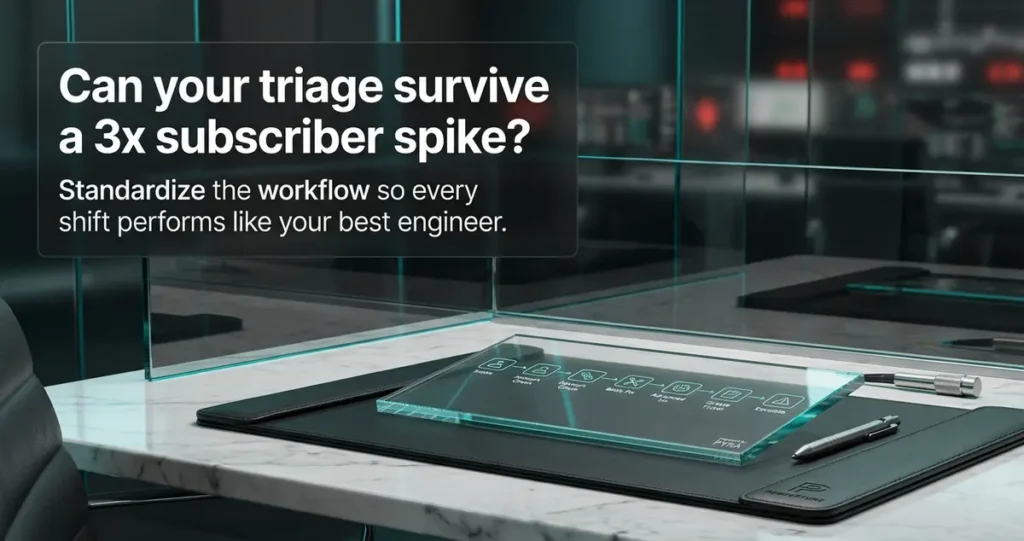
When you’re running a small network, triage is informal. Your best tech knows the systems. They know the customers. They know what to check first.
Then you grow.
Suddenly you have more subscribers, more inbound contacts, and more engineers — but the knowledge is still locked in a few people’s heads. New hires take months to get up to speed. Turnover means starting over. And when someone leaves, they take four years of troubleshooting patterns with them.
Here’s the catch: the problem isn’t that your team is bad at triage. It’s that consistent triage doesn’t scale without a system.
PE investors and boards are asking the same question: “How do you scale without just hiring more people?”
The answer is a repeatable, AI-assisted triage process that works the same way every time, whether it’s 9 am or 2 am, whether your best engineer is in the office or on vacation.
Sidebar: “If Dave Leaves, We’re Cooked”
Every NOC has a Dave. Dave knows which customers have flaky ONUs. He knows that the Layer 2 storm last March was caused by a misconfigured switch. Dave knows the workaround for the VPN issue that affects three corporate accounts.
When Dave leaves — and eventually, Dave leaves — that knowledge walks out the door with him.
AI ticket triage tools capture that knowledge in every ticket, every resolution, every escalation note. So when the next Dave starts, they’re not starting from zero.
2. What “Ticket Triage” Means in a NOC
Ticket triage is the process of reviewing, sorting, and prioritizing incoming support requests so the right person handles the right issue at the right time. In a fiber or NOC environment, it means checking the right systems in the right order, before escalating, and creating one complete ticket with full context.
In layman’s terms: triage is what happens between “customer says internet is down” and “engineer knows exactly what to fix.”
Good triage means:
- You know what’s actually wrong before you escalate
- You check billing, device status, and network status in a defined order
- You create one ticket with everything the next person needs
- Tier 2 only gets involved when Tier 1 genuinely can’t resolve it
Bad triage looks like this: a customer calls about slow speeds, a tech creates a ticket that says “internet slow,” and a senior engineer spends 45 minutes figuring out what was already checked.
The difference between those two outcomes is a clear, consistent ticket triage process.
3. Ticket Triage Process: The 7 Steps That Prevent Chaos
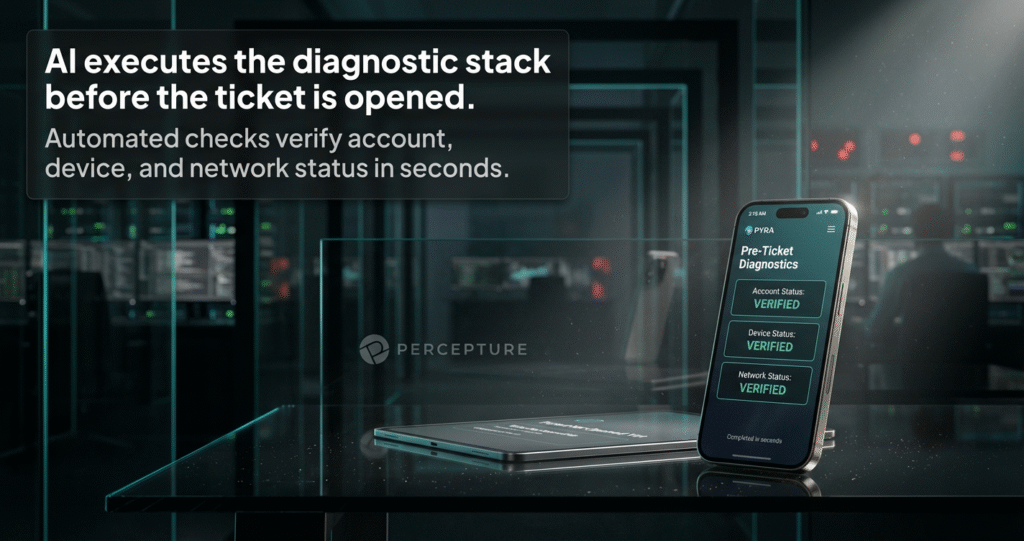
Here’s what a clean help desk ticket workflow looks like for a fiber operator or managed NOC team:
Step 1 — Intake
Customer contacts support via call, chat, or email. The issue is captured in plain language: “Internet is down,” “Speed is slow,” “Can’t connect.”
Step 2 — Account and service check
Pull account status, service address, and device serial numbers. Is the account active? Is there a billing hold? This step alone resolves a surprising number of contacts.
Step 3 — Network and device status check
Check access point online/offline status. Check ONU status. Is this isolated to one customer or part of a wider outage?
Step 4 — Basic troubleshooting
Walk through the standard steps: reboot, power check, physical connections. Most Tier 1 issues resolve here.
Step 5 — Advanced troubleshooting (if needed)
If basic steps don’t work, check for corporate VPN conflicts, firewall rules, or Layer 2 storms. This is where Tier 2 gets involved — but only when it’s actually necessary.
Step 6 — Create one ticket with full context
This is the critical step. The ticket includes: what was checked, what was found, what was tried, and what the recommended next step is. One ticket. Full picture. No guesswork.
Step 7 — Escalate with a clean handoff
The next tech picks up a ticket that already has everything they need. No back-and-forth. No “what did you already try?”
That’s what good triage looks like. The problem is doing it consistently, especially when you’re short-staffed, scaling fast, or dealing with turnover.
Sidebar: “The Reboot Lie”
Every support team has a version of this: a customer calls in, the tech says “try rebooting your router,” the customer says they already did, and the tech creates a ticket that says “customer rebooted, issue unresolved.”
Except the customer didn’t actually reboot. Or they rebooted the wrong device. Or the reboot didn’t hold because the ONU was offline.
A structured triage process — with AI checking device status in real time — catches this before it becomes a Tier 2 escalation. The AI doesn’t take the customer’s word for it. It checks.
4. Where AI Fits: What the Agent Does Before a Person Touches the Ticket
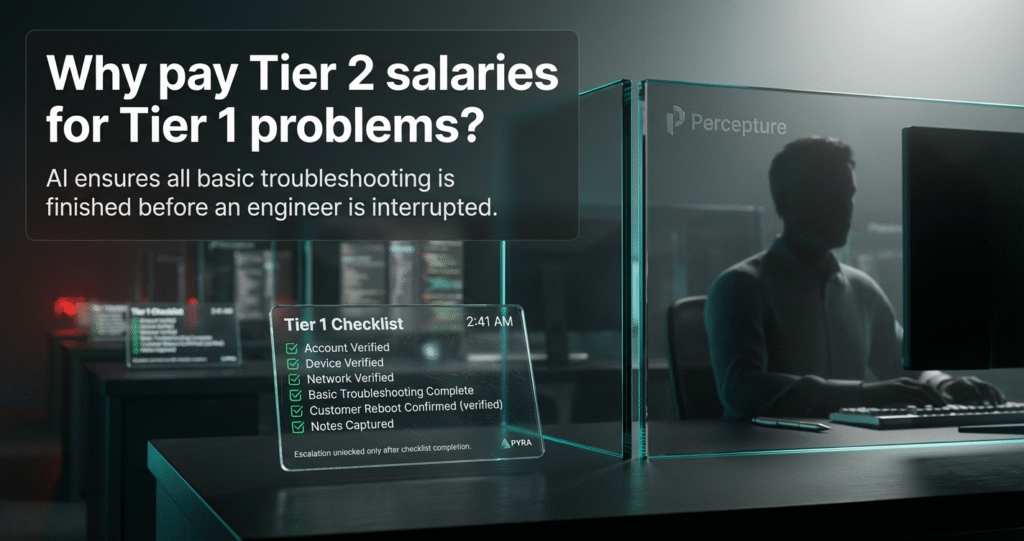
Let’s be specific. When people say AI tools for IT support ticket triage, what does that actually mean in a fiber or NOC environment?
Here’s what a Pyra-powered AI operations agent does — step by step — before a human engineer ever touches the ticket:
| Agent Function | What It Means in Practice |
|---|---|
| Reads customer and account context | Checks billing status, service address, and device IDs automatically — before a human starts typing |
| Checks network and device status | Queries your systems (BSS/OSS, MCMS, device management) in real time |
| Recommends next best action | Based on what it finds, it suggests the right troubleshooting step — not a generic script |
| Writes the ticket summary | Creates one clean, complete ticket with everything the next tech needs |
| Routes to the right queue | Tier 1 issues go to Tier 1. Tier 2 issues go to Tier 2. No guessing. |
| Drafts outage messages | During known outages, automatically generates customer-facing status updates |
| Learns from historical tickets | Gets smarter over time using your existing support logs and resolution history |
The goal isn’t to replace your team. It’s to stop your best engineers from doing work that a consistent, well-trained AI system can handle, so they can focus on the problems that actually need them.
How It Works (Simple Steps)
What the AI reads:
Your existing support logs – chat history, ticket history, resolution notes. The more history you have, the smarter it gets. Even 6–12 months of logs is enough to start.
What the AI writes:
One clean ticket summary. Account status, device status, steps taken, recommended next action. Every time. No variation.
How routing works:
The AI applies your escalation rules. If the issue matches a Tier 1 resolution pattern, it stays in Tier 1. If it matches a Tier 2 pattern – or if Tier 1 steps fail – it routes up with a clean handoff note.
How approval gates work:
For sensitive actions (account changes, outage broadcasts, escalations above a defined threshold), the AI drafts the action and routes it to a human for approval before anything executes. The AI does not act unilaterally on high-stakes decisions.
What If Our Logs Are Messy?
Good question. And an honest one.
AI ticket triage tools are only as good as the data they learn from. If your logs are inconsistent, incomplete, or full of “internet slow” tickets with no resolution notes, the AI will reflect that.
Here’s the practical answer: you don’t need perfect logs. You need enough logs.
In our experience working with operators, even messy historical data contains patterns. The AI identifies what’s consistent, flags what’s ambiguous, and asks for human input on edge cases. You’ll refine the triage rules over the first few weeks as you see where the gaps are.
The first two weeks of a pilot are specifically designed to surface those gaps, so you can fix them before you scale.
Integrations We Commonly Plug Into
Every environment is different. Here’s what we commonly integrate with for fiber operators and managed NOC teams:
Ticketing and BSS/OSS:
Sonar, ConnectWise, Zendesk, Freshdesk, ServiceNow (mid-market configurations)
Communications and chat logs:
RingCentral, Microsoft Teams, Slack, Zoom Phone
Network and device management:
Eero Insight, Calix, Cambium, VIAVI, Sienna MCMS
Middleware and APIs:
ISP Nexus, custom REST APIs, webhook-based integrations
We don’t promise every integration out of the box. We scope each deployment based on your actual stack and build the connectors that matter for your workflow.
5. Alarm Aggregation: Turning Alert Storms Into One Root-Cause Ticket
Here’s something most support teams don’t talk about openly: the ticket isn’t the problem. The noise is.
When a port starts flapping on your network, you don’t get one alert. You get 12. Maybe more. Each one looks like a separate issue. Each one creates a separate ticket, or worse, gets ignored because the team is already overwhelmed.
“I don’t want 12 alarms. I want one ticket created because the port’s flapping.”
— Alex Mannine, Percepture
That’s alarm aggregation. And it’s one of the most underrated wins in fiber support operations.
Instead of flooding your queue with duplicate alerts, the AI groups related alarms, identifies the root cause, and creates one ticket with the right context. Your team sees one problem, not twelve. They fix it once. Done.

| Before AI Triage | After AI Triage |
|---|---|
| 12 separate alerts for one port issue | 1 ticket with root cause identified |
| Vague ticket: “internet slow” | Ticket includes: account status, device status, steps taken, recommended next action |
| Tier 2 pulled in immediately | Tier 2 only escalated when genuinely needed |
| No record of what was checked | Full audit trail in every ticket |
| Repeat contacts on same issue | Resolution logged and searchable for future calls |
The difference isn’t just efficiency. It’s the difference between a team that’s constantly reacting and a team that’s actually in control.
6. Clean Escalation: When Tier 1 Stops and Tier 2 Starts
One of the most expensive problems in NOC operations isn’t the tickets that take too long to resolve. It’s the tickets that get escalated too early.
When Tier 2 engineers spend time on issues that Tier 1 could have handled — with the right information — you’re paying senior-level rates for junior-level work.
Clean escalation means:
- Tier 1 has a defined checklist and follows it every time
- Escalation only happens when Tier 1 steps are genuinely exhausted
- The escalation ticket already includes everything Tier 2 needs — no back-and-forth
- Approval gates prevent premature escalation on ambiguous cases
The AI enforces this. Not by overriding your engineers — but by making sure the checklist is always followed before the escalation button gets pushed.
7. SLA Reporting and Board Reporting: The Proof Investors Ask For
📘 Definition Box
SLA reporting is a structured monthly summary of how well your support team is meeting defined performance targets — response time, resolution time, escalation rate, and repeat contact rate. For fiber operators, it’s also the document that justifies NOC costs to boards and investors.
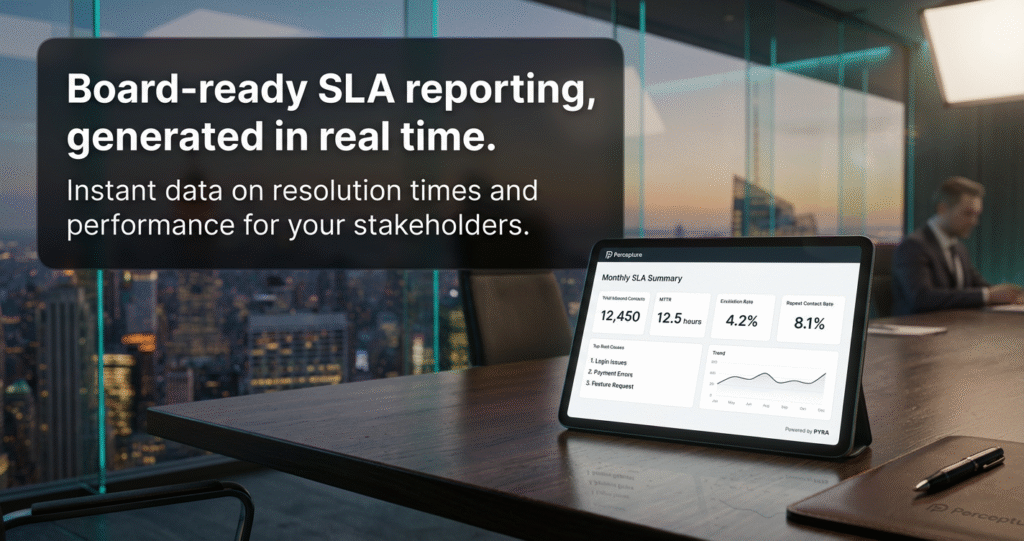
If you’re running a managed NOC or justifying support costs to a PE-backed board, SLA reporting isn’t optional. It’s the difference between “we’re doing a great job” and “here’s the proof.”
Board-Ready SLA Summary Template (Copy/Paste)
Use this as your monthly report structure:
Monthly NOC Summary — [Month, Year]

Total inbound contacts: ___
Disconnects resolved: ___
Router restores: ___
Fiber checks dispatched: ___
Billing-related calls: ___

Top 5 root causes this month:
1. ___
2. ___
3. ___
4. ___
5. ___

Average time to resolution (MTTR): ___
Escalation rate (Tier 1 → Tier 2): ___%
Repeat contact rate: ___%
That’s not just a report. That’s a story. It tells your board exactly what your NOC is doing, why it costs what it costs, and where the value is.
Without this, you’re asking investors to trust a number. With it, you’re showing them a system.
Want to see this on your own logs?
We can build a proof-of-concept using your existing support history: no cost, no commitment. Just a clear picture of what your SLA reporting looks like when it’s automated.
8. Cost and ROI: The Simple Math vs. Hiring
Here’s where a lot of operators get stuck. At first glance, an AI operations agent at $20K–$50K per year sounds comparable to hiring a junior engineer.
So let’s look at what you’re actually comparing.
The Math Box (CFO/COO View)
| Junior Engineer Hire | AI Operations Agent (Pyra) | |
|---|---|---|
| Annual cost | $40K–$60K salary | $20K–$50K/year |
| Benefits & burden | +20–30% on top of salary | None |
| Training time | 3–6 months to full productivity | Trained on your logs from day one |
| Turnover risk | High – especially in rural or competitive markets | Zero |
| After-hours coverage | Overtime or on-call pay | Always on, no extra cost |
| Knowledge retention | Leaves when they leave | Captured and searchable permanently |
| Scalability | One person, one capacity ceiling | Scales with your subscriber count |
Note: Cost figures are illustrative ranges based on typical market data. Your actual numbers will vary.
The real cost of a junior hire isn’t the salary. It’s the training, the turnover, the gaps in coverage, and the institutional knowledge that walks out the door when they leave.
An AI operations agent doesn’t quit. It doesn’t need benefits. And it gets smarter every month, because it’s learning from every ticket your team closes.
“In workibg with fiber operators and managed NOC teams, the biggest hidden cost isn’t the salary. It’s the knowledge that disappears when someone leaves.”
How to Calculate Cost Savings From Fewer Support Tickets
Here’s a simple framework:
- Find your cost per ticket: Total monthly support cost ÷ total tickets handled
- Estimate deflection: How many tickets could be resolved faster or prevented entirely?
- Add hidden costs: Repeat contacts, after-hours escalations, Tier 2 time on Tier 1 issues
- Compare to agent cost: Monthly agent fee + usage
- Calculate payback period: Most operators see positive ROI within 60–90 days of full deployment
9. Security and Controls: How to Keep AI Safe in Operations
This is the question engineers ask — and it’s the right one.
AI in a NOC environment touches sensitive systems: billing data, device credentials, customer accounts, network configurations. That means security and control aren’t optional. They’re the foundation.
Here’s how we approach it:
Approval gates: High-stakes actions (account changes, outage broadcasts, escalations above a defined threshold) require human approval before execution. The AI drafts. A human approves.
Audit trail: Every action the AI takes is logged. Every ticket it writes, every recommendation it makes, every escalation it routes — all of it is traceable and reviewable.
Data handling: Percepture’s Pyra platform is built with enterprise security standards in mind. We can discuss SOC 2 Type II, HIPAA, and GDPR compliance requirements during scoping — and we’ll be direct about what applies to your deployment.
No hallucination on critical data: The AI reads from your systems in real time. It doesn’t guess at account status or device state. If it can’t confirm a data point, it flags it for human review rather than filling in a blank.
“The AI doesn’t act unilaterally on anything that matters. It drafts, it recommends, it routes — and a person stays in the loop on anything sensitive.”
— Alex Mannine, Percepture
10. Pilot Plan: Prove This in 14 Days Using Your Existing Logs
You don’t need a six-month implementation to see if this works. Here’s a realistic 14-day proof-of-concept.
What You Get in a 2-Week Pilot
✅ Week 1 — Foundation
- Export existing support logs (chat history, ticket history, 6–12 months minimum)
- Map your triage decision tree: what does Tier 1 check first? What triggers Tier 2?
- Define escalation gates: what’s the exact threshold for escalation?
- Identify your top 5 most common inbound issue types
✅ Week 2 — Build and Review
- Deploy the MVP agent against your historical data
- Run it against a sample of real tickets, compare agent output to what your team actually did
- Generate your first automated SLA summary report
- Review gaps and refine triage rules
Deliverables at the end of 2 weeks:
- A working triage agent trained on your logs
- Your first automated SLA board report
- A gap analysis: where the agent performs well, where it needs refinement
- A clear recommendation for full deployment scope and cost
That’s a real proof-of-concept, not a demo. Built on your data, for your workflow.
Who This Is For
- ✅ Fiber operators scaling from 10K to 100K+ subscribers
- ✅ Managed NOC teams supporting multiple networks
- ✅ ISPs with PE or investor board reporting requirements
- ✅ Operations leaders dealing with turnover and knowledge retention gaps
- ✅ Teams running RingCentral, Sonar, Eero, Sienna, or similar stacks
Who This Is Not For
- ❌ Teams with fewer than 500 tickets/month (not enough volume to justify the investment yet)
- ❌ Organizations that haven’t defined any triage process yet (we can help you build one, but that’s a different starting point)
- ❌ Anyone looking for a fully autonomous system with no human oversight (that’s not how we build)
Frequently Asked Questions
What is ticket triage?
Ticket triage is the process of reviewing, sorting, and prioritizing incoming support requests so the right team member handles the right issue at the right time. In fiber and NOC environments, it includes checking account status, device status, and network conditions before creating a ticket or escalating to a senior engineer.
What is the ticket triage process?
The ticket triage process follows these steps: intake the customer issue, check account and service status, verify device and network status, attempt basic troubleshooting, escalate if needed, create one complete ticket with full context, and route to the appropriate queue. A consistent process reduces repeat contacts and protects senior engineer time.
How do you triage a support ticket?
Start with the basics: is the account active? Is the device online? Is the issue isolated or widespread? Work through a defined checklist before escalating. The goal is to resolve at the lowest tier possible — and when escalation is needed, hand off a ticket that already has everything the next tech needs.
What are AI tools for IT support ticket triage?
AI tools for IT support ticket triage are software systems that automate the triage process — reading account context, checking system status in real time, recommending next steps, writing ticket summaries, and routing issues to the right queue. They learn from historical tickets and improve over time.
How do you reduce support tickets?
The fastest way to reduce support tickets is to resolve issues at first contact and prevent repeat contacts. AI triage tools help by ensuring every interaction follows a consistent process, capturing resolution history, and identifying root causes of repeat issues so they can be addressed upstream.
How do you calculate cost savings from fewer support tickets?
Start with your cost per ticket (total support cost ÷ total tickets). Multiply by the number of tickets you expect to deflect or resolve faster. Add in the cost of repeat contacts, escalations, and after-hours coverage. Compare that to the cost of the AI tool. Most operators see positive ROI within 60–90 days.
What is SLA reporting?
SLA reporting is a structured monthly summary of how well your support team is meeting defined performance targets — response time, resolution time, escalation rate, and repeat contact rate. For fiber operators, it’s also the document that justifies NOC costs to boards and investors.
What should go in an SLA report?
A strong SLA report for a fiber operator includes: total inbound contacts, issue categories (disconnects, restores, billing, fiber checks), average time to resolution, escalation rate, top root causes, and month-over-month trend data. The goal is to tell a clear story, not just show numbers.
What does alarm aggregation mean in network operations?
Alarm aggregation is the process of grouping multiple related alerts into a single, actionable ticket. If a port is flapping and generates 12 separate alerts, alarm aggregation identifies they’re all caused by the same issue and creates one ticket, instead of flooding your queue with 12 separate items.
How does support ticket triage improve with AI?
AI improves support ticket triage by making it consistent. Every ticket follows the same checklist, every escalation includes the same context, and each resolution gets logged and becomes part of the knowledge base. The result is faster resolution, fewer repeat contacts, and a team that isn’t starting from scratch every time someone new joins.
| Section | Resource | Additional Links |
|---|---|---|
| Case Study | How a Fiber ISP Scaled to 80K Subs | How a Fiber Company Closed $125M Contract |
| Guide | Enterprise SEO ROI Calculator | Personal Telecom Sales Assistant AI Agent |
| Insight | Telecom PR & Marketing Agency | Telecom Marketing Strategy |
Ready to See This Against Your Own Data?
If your team is managing a growing subscriber base and you’re being asked to justify NOC costs, scale without linear hiring, or stop losing institutional knowledge every time someone leaves, this is worth a conversation.
Pyra, Percepture’s AI agent platform, is built specifically for operators who need real workflow automation, not another dashboard to check.
We’ll build a proof-of-concept using your existing support logs. No cost. No commitment. Just a clear picture of what’s possible.
Connect with us today!
👤 About the Expert
Alex Mannine is a digital strategy and AI automation executive at Percepture, a Digtal PR, lead generation and AI Search growth agency that builds AI-powered agents for operators, enterprises, and managed service providers. Percepture’s Pyra platform powers intelligent support triage, SLA reporting, and knowledge retention for fiber ISPs and NOC teams scaling beyond what traditional staffing can support. Pyra is built with enterprise security standards in mind – SOC 2 Type II, HIPAA, and GDPR compliance are part of every scoping conversation