
Network as a Service, or NaaS, is a model for consuming networking through a provider-managed service instead of buying and operating every circuit, appliance and management system yourself. Customers may order, monitor and change eligible services through a portal, API or infrastructure-as-code workflow.
NaaS can describe programmable data-center and cloud connectivity, enterprise WAN, campus LAN and Wi-Fi, multi-cloud routing or security-first networking. The label alone is not enough. Buyers should confirm what is included, what is automated, what remains physical, how billing works and who owns each responsibility.
Trusted B2B and telecom expertise
Network as a Service buyers need technical clarity and commercial credibility. Percepture has worked across telecom, fiber, data centers, infrastructure and complex B2B markets since 2004.





What is NaaS in simple terms?
Network as a Service is a consumption and operating model in which a provider delivers networking capabilities as a managed, software-controlled service. NaaS may include private connectivity, WAN, cloud routing, LAN, Wi-Fi, security or lifecycle management. Strong services are on demand, observable, manageable, programmable, secure, flexible and modular. They still rely on physical fiber, facilities, ports and equipment, so serviceability and delivery must be confirmed.
Executive summary
What changes
NaaS changes ordering, control, operations, billing and lifecycle responsibility.
What does not change
Physics, geography, building access, handoffs, route diversity and application requirements still matter.
First buying rule
Define the network outcome and service type before comparing platforms or commercial terms.
Common mistake
A subscription and dashboard do not prove that provisioning, modification, support and cancellation are automated.
Reviewed and updated July 2026. This guide combines industry definitions, official platform documentation and approved expert interview material. Product capabilities should be matched to the buyer’s locations, handoffs, security requirements and contract.
Who should use this Network as a Service guide?
NaaS decisions cross technology, operations, security, finance and procurement. Use this guide to create one requirements baseline before vendors are compared.
CIO, CTO and architecture
Define applications, sites, latency, availability, routing, cloud access and the operating model that the network must support.
Network and operations teams
Test serviceability, provisioning, telemetry, incident ownership, maintenance, rollback and physical delivery.
Security and risk
Confirm identity, access, segmentation, encryption, logging, provider privileges, third parties and shared responsibility.
Finance and procurement
Compare delivered total cost, contract flexibility, minimums, physical access charges, migration effort and exit obligations.
What is network as a service?
NaaS stands for Network as a Service. It is a service and consumption model, not one protocol, appliance or network layer. A provider supplies and operates a defined set of capabilities while the customer consumes those capabilities under agreed technical, operational and commercial terms.
The model can use cloud-like controls across private optical transport, carrier networks, public clouds, provider edge infrastructure and equipment at customer locations. Some offers focus on connectivity. Others combine access, routing, Wi-Fi, security, hardware, monitoring and support.
Is it a cloud service? It can be delivered through a cloud-style portal and software control plane, but the term covers more than public-cloud networking. Does it eliminate hardware? No. Switches, routers, optical systems, ports, cables and access circuits still perform the work.
How network as a service works
A practical NaaS lifecycle has eight steps:
- Define the outcome. Document sites, users, applications, traffic, policy, latency, availability and recovery requirements.
- Confirm serviceability. Identify on-net buildings, cloud regions, ports, local access, cross-connects and construction dependencies.
- Design and price the service. Select capacity, routing, handoffs, security, support and contract terms.
- Submit the order. Eligible services may be ordered through a portal, API or infrastructure-as-code workflow.
- Orchestrate available resources. Software configures the parts of the service that are already reachable and automatable.
- Complete physical delivery. Teams install or activate ports, cross-connects, local loops, equipment and building access where required.
- Monitor and change the service. The customer and provider use telemetry, events, tickets and software controls according to their assigned roles.
- Operate the lifecycle. The provider handles contracted infrastructure, maintenance, incidents and refresh while the customer retains policy, governance and business recovery.
An on-net virtual service may activate faster than a new physical connection. A cross-connect, local loop, access build or construction project follows a different delivery path. “On demand” should therefore describe eligible digital actions, not promise instant activation everywhere.
The Percepture NaaS Reality Stack
The Percepture NaaS Reality Stack evaluates NaaS as a chain of seven connected layers. It prevents a polished software demonstration from hiding missing access, unclear operations or incomplete economics.
Seven layers every buyer should prove
- Business outcome: Define sites, users, workloads, service objectives, latency, security and recovery. Failure appears as a technically working service that misses the application need.
- Service scope: List underlay, Layer 2 or Layer 3, SD-WAN, cloud, campus, security, equipment, support and refresh. Failure appears as an assumed component that is outside the contract.
- Physical delivery: Map buildings, ports, routes, cross-connects, local loops, cloud on-ramps and equipment. Mark each element as on-net, off-net or partner-delivered.
- Control and automation: Test quote, order, provision, modify and cancel actions through the portal, API or Terraform. Record every manual gate.
- Observability and assurance: Confirm service state, performance, events, maintenance, SLA data, billing and audit history.
- Security and governance: Test identity, role-based access, single sign-on, logs, segmentation, encryption options, provider access and shared responsibility.
- Commercial terms and exit: Model recurring and usage charges, physical access, egress, support, minimums, export and transition obligations.
Green: all seven layers are documented and tested. Amber: software is strong but delivery, operations or billing remain unclear. Red: the offer is a subscription or dashboard without end-to-end control and accountability.
Real NaaS is not a billing label. It is a provable chain from business outcome to physical delivery, software control and operational accountability.

Build a clean NaaS requirements baseline first
Before comparing platforms, document the sites, applications, service layers, handoffs, automation, security, support, costs and exit requirements that every provider must answer.
- What must be physically installed?
- Which lifecycle actions are truly self-service?
- Who owns incidents, billing disputes and migration?
Percepture will help organize the buyer questions and content requirements. Percepture does not design or operate the network.
What are the main types of NaaS?
Six markets often sit under the NaaS label. One provider may span several categories, but buyers should not flatten them into one ranking.
| Type | Customer consumes | Typical components | Best fit | What to confirm |
|---|---|---|---|---|
| Transport and interconnection | Private connectivity between facilities and clouds | Point-to-point links, DCI, Ethernet, cloud connections and exchanges | Data-center, cloud and ecosystem connectivity | Facilities, ports, cross-connects, route diversity and API lifecycle |
| Enterprise WAN | Connectivity and operation across distributed sites | Internet, Ethernet, routing, SD-WAN, equipment and support | Branch, office and hybrid-work estates | Native versus partner reach, CPE, access, security, SLA and escalation |
| Multi-cloud networking | Routing and segmentation among clouds and colocation | Virtual routers, cloud on-ramps and inter-cloud links | Hybrid and multi-cloud workloads | Regions, route scale, egress, failover and underlay dependencies |
| Campus LAN and Wi-Fi | Local wired and wireless access as a managed service | Switches, access points, licenses, installation, monitoring and refresh | Organizations reducing campus lifecycle work | Ownership, cabling, replacement times and performance commitments |
| Security-first or SASE | User and site access with cloud-delivered controls | WAN, firewall, secure web gateway, ZTNA and policy | Distributed users needing common access policy | Whether connectivity is included, inspection location and policy ownership |
| Managed network NaaS | Operation of a broad network estate | Customer or provider assets, monitoring, support and lifecycle work | Teams seeking operating relief | Which functions are self-service and which remain traditional managed services |
What components can NaaS include?
A NaaS offer can include several layers, but no offer should be assumed to include everything by default.
- Physical access: local loops, fiber, cross-connects, building entry and customer handoffs.
- Underlay: internet, Ethernet, wavelength, private transport and provider backbone capacity.
- Overlay: SD-WAN tunnels, routing policy, segmentation and application-aware path selection.
- Virtual functions: routing, firewalls, secure access and other software-based network services.
- Control: portal, API, Terraform, orchestration, identity and permissions.
- Assurance: telemetry, service state, logs, events, maintenance notices and SLA reporting.
- Operations: monitoring, incidents, escalation, patches, hardware replacement and refresh.
- Commercial model: subscription, usage, term, minimum, burst, overage and service credits.
The physical underlay remains central. Percepture’s guides to data center interconnect, data center interconnect options and Layer 2 versus Layer 3 DCI explain boundaries that a portal cannot remove.
Network as a service examples
Private data-center circuit
An API creates an eligible private circuit between two on-net facilities. Software controls ordering and capacity, while ports, cross-connects and the provider backbone carry the traffic.
Multi-cloud routing
A virtual router links cloud environments and colocation. Automation manages routes and attachments; cloud ports, on-ramps and egress rules remain physical and commercial dependencies.
Distributed enterprise WAN
A provider combines internet access, SD-WAN, routing and managed security. The provider operates the contracted service while the customer retains application policy and governance.
Campus subscription
Switches, Wi-Fi, monitoring, support and refresh are bundled into a service. Cabling, replacement commitments and equipment ownership must be stated clearly.
Temporary capacity
A customer raises capacity for a migration, event or large data transfer, then reduces it. The option only works where the required ports and transport are already deliverable.
Network as a service vs. SaaS, IaaS, PaaS, SDN, SD-WAN and SASE
| Term | Provides | Customer manages | Relationship to network as a service |
|---|---|---|---|
| SaaS | A finished software application | Users, configuration and business data | SaaS provides an application; NaaS provides network capabilities. |
| IaaS | Virtual compute, storage and networking | Operating systems, applications and data | NaaS may connect users and sites to IaaS but remains a separate service model. |
| PaaS | A development and runtime platform | Application code and data | PaaS supports application delivery; NaaS delivers a network outcome. |
| SDN | A software-control architecture | Design and policy according to deployment | SDN can help deliver NaaS; it is not the commercial or operating model itself. |
| SD-WAN | An overlay for path selection and WAN policy | Application and routing policy | NaaS may include underlay, SD-WAN, operations and billing. |
| SASE | Networking and cloud-delivered security functions | Identity, access and security policy | SASE can be part of NaaS, but the NaaS category is broader. |
| Managed networking | Operation by an outside team | Business requirements and governance | True NaaS should add a defined service, visibility, automation and flexibility. |
SaaS delivers a finished software application, such as email or CRM. NaaS delivers connectivity, routing, access or security capabilities. A SaaS customer uses the application; a NaaS customer uses and controls a network service.
IaaS delivers virtual compute, storage and networking. One example is launching an Amazon EC2 virtual machine, attaching storage and placing it in a virtual network. The provider operates the physical infrastructure while the customer manages the operating system, applications and data.
For a deeper look at software control over physical transport, read Percepture’s guide to software-defined data center interconnect.
Benefits of NaaS
The benefits of NaaS depend on coverage, scope, operating responsibility and economics.
- Faster changes when ports, access and other prerequisites already exist.
- Lower customer capital requirements when the provider supplies capacity or equipment under the service.
- Scalable capacity and locations where the provider has deliverable reach.
- Simpler lifecycle work when maintenance, monitoring and refresh responsibilities are explicit.
- A common control plane when the portal and API cover the required lifecycle rather than opening tickets.
- Improved visibility when telemetry, events, billing and audit records are available together.
- Easier cloud and data-center connectivity when supported on-ramps and facilities match the workload. Percepture’s cloud on-ramp connectivity guide explains the physical and commercial dependencies.
- Reduced operating work only when responsibility, support and escalation are clearly assigned.
Disadvantages of NaaS
The main disadvantages of NaaS are provider dependency, lock-in, less low-level control, migration complexity, variable costs, integration limits, shared-service risk and incomplete physical coverage. An outage or pricing change at one provider may affect many sites. Test interoperability, export, support, security responsibility, serviceability, billing and exit plans before moving critical networks.
- One control plane can create concentrated operational risk.
- Proprietary APIs, policy formats or equipment can raise switching costs.
- Legacy networks may require phased migration and parallel operation.
- Usage, egress, ports, cross-connects, local access and minimums can complicate cost comparisons.
- Off-net delivery may differ by location and access partner.
- Troubleshooting can cross customer, platform, carrier, facility and cloud domains.
- The customer may need new automation, security and vendor-governance skills.
The model may be a poor fit for specialized deterministic systems, strict ownership mandates, unserviceable remote sites, stable low-burden assets or environments where provider concentration exceeds the accepted risk.
Is NaaS secure?
NaaS can improve policy consistency, access control, logging and lifecycle management, but security depends on the design, provider and shared-responsibility model. The service label itself is not a security control.
Evaluate multi-factor authentication, single sign-on, role-based access, API credentials, audit logs, segmentation, encryption options, inspection location, data sovereignty, provider privilege, incident response, third parties and route resilience. Private connectivity reduces public-internet exposure, but private does not automatically mean encrypted.
How much does network as a service cost?
NaaS pricing can include ports, interfaces, committed bandwidth, usage, users, sites, devices, access points, equipment, installation, cloud on-ramps, cross-connects, local loops, construction, security, support, burst, overage, egress and contract minimums.
| Cost layer | Questions to ask |
|---|---|
| Recurring service | What capacity, features, support and SLA are included? |
| Usage and cloud | Are there metered traffic, burst, overage or cloud egress charges? |
| Physical delivery | Who pays for ports, cross-connects, local access, equipment and construction? |
| Security and operations | Which licenses, monitoring functions, compliance controls and escalation tiers cost extra? |
| Resilience | Are backup connections physically diverse or merely sold as separate services? |
| Migration and exit | What will parallel operation, data export, cancellation and transition require? |
Delivered TCO = recurring service + usage + physical access + ports and cross-connects + cloud and egress + equipment and installation + support + security and compliance + redundancy + migration and exit.
Compare that total with owned-network capital, licenses, staff, facilities, maintenance, spares, carrier contracts, monitoring and refresh. Moving an expense from CapEx to OpEx does not prove lower lifetime cost. Percepture’s data-center financing comparison provides additional context for capital and operating tradeoffs.
The nine-point True NaaS Test
Mplify describes seven attributes: on demand, observable, manageable, programmable, secure, flexible and modular. Percepture adds physical deliverability and operational completeness because network as a service software control must connect to a network that can be installed, supported and recovered.
| Test | Evidence to request | Warning sign |
|---|---|---|
| On demand | Quote, order, change and remove eligible services | Every action becomes a manual ticket |
| Observable | Health, use, performance, events, SLA and billing data | Only basic uptime is visible |
| Manageable | Controls for capacity, endpoints, routes, policies or users | Material changes require undocumented processes |
| Programmable | Lifecycle API, authentication, permissions, errors, versions and Terraform support | The API covers inventory but not lifecycle actions |
| Secure | Identity, isolation, encryption options, logs and provider-access controls | Shared responsibility is undefined |
| Flexible | Documented capacity, duration, term and billing options | Technical flexibility is blocked by commercial minimums |
| Modular | Selectable transport, cloud, routing, security or campus components | Unneeded services must be purchased as a bundle |
| Physically deliverable | Sites, ports, handoffs, routes, construction and third parties | Location counts replace address-level validation |
| Operationally complete | Incident, maintenance, hardware, NOC, escalation, refresh and exit procedures | The sales demo ends where operations begin |
The physical network is still the foundation

“A portal on top of a manual process is just a nicer way to wait.”
Hunter Newby, owner of Newby Ventures and co-founder and former chief strategy officer of Telx
Newby’s operating test is direct: inspect portal provisioning, modification, visibility and errors; inspect API permissions, limits and failure behavior; reconcile billing; then test maintenance, escalation and recovery.
“A cloud on-ramp is not in the cloud. It is in a room, in a building, on a specific floor, connected by a specific cable.”

How does PacketFabric fit network as a service?
Partner disclosure: Percepture may refer qualified readers to PacketFabric. Buyers should still validate serviceability, architecture, security, support and commercial terms for their own locations.

PacketFabric is an example of transport and interconnection network as a service. Its official technology materials describe a software-controlled platform for private connectivity among supported data centers, clouds and service ecosystems, along with portal, API and Terraform control options.
The documented service portfolio includes point-to-point connectivity, cloud connectivity and virtual routing. Physical handoffs, off-net access, ports, cross-connects or construction can still affect delivery. Buyers should confirm supported locations, service type, route design, security, SLA and terms for their requirements.
This guide does not rank providers. For a dedicated selection view, read Percepture’s guide to the best Network as a Service providers.
Review PacketFabric Network as a ServiceIs NaaS right for the organization?
Use this network as a service scorecard as directional guidance, not science. Give one point for every question the team can answer with documented evidence.
| Question | Evidence of fit |
|---|---|
| Does demand change by site, application or season? | Capacity or locations require regular adjustment. |
| Do manual network orders delay cloud or site work? | Ordering and change queues affect business delivery. |
| Is hardware lifecycle work consuming scarce staff time? | Refresh, maintenance and spares create a measurable burden. |
| Does the team need API or infrastructure-as-code control? | Network changes must join existing automation workflows. |
| Are required sites physically serviceable? | Addresses, ports, access paths and handoffs are documented. |
| Are security and operating responsibilities clear? | Both parties can map every control and escalation role. |
| Can the service integrate with operations? | Monitoring, ticketing, CMDB and financial workflows are supported. |
| Has delivered TCO been compared with the current model? | All recurring, usage, access, staffing and exit costs are included. |
| Can resilience and support be tested? | Routes, failures, NOC response and recovery are part of the pilot. |
| Is there an exit plan? | Data, configuration, cancellation and transition procedures are documented. |
8–10: strong network as a service pilot candidate. 5–7: start with a targeted use case. 0–4: improve requirements, coverage and operating evidence before committing.
How to adopt network as a service
- Inventory circuits, devices, applications, contracts, costs and support dependencies.
- Define business outcomes and service objectives before discussing platforms.
- Segment workloads by latency, availability, security and control requirements.
- Choose the required NaaS type before choosing a vendor.
- Map buildings, access, handoffs, ports, routes and cloud connections.
- Compare current delivered TCO with the proposed service model.
- Assign responsibility for architecture, policy, incidents, security and recovery.
- Shortlist options by serviceability and operating model rather than brand alone.
- Run a proof of concept with a real workload and realistic failure conditions.
- Test security, resilience, operations, API behavior and invoice reconciliation.
- Migrate in phases with rollback paths and parallel operation where required.
- Measure application outcomes and preserve configuration export and exit options.
A phased network as a service program is safer than a big-bang replacement. Begin where the current ordering or operating burden is high and where serviceability is already clear.
What should a NaaS proof of concept test?
A network as a service proof of concept should test the full lifecycle, not just a successful provisioning demo.
- Address-level serviceability and every delivery prerequisite
- Quote accuracy, term choices and commercial minimums
- Portal order, modify, suspend and cancel workflows
- API authentication, role-based access, permissions, limits and errors
- Terraform idempotency, state handling and rollback
- Actual provisioning time for digital and physical elements
- Bandwidth changes, burst behavior and overage treatment
- Routing, VLAN, segmentation and policy controls
- Telemetry, logs, events, audit records and billing data
- Latency, loss, jitter and throughput under a real workload
- Maintenance notifications and planned-change handling
- Failure detection, route behavior and recovery
- NOC response, escalation and ownership across third parties
- SLA measurement and service-credit workflow
- Invoice reconciliation against orders and usage
- Configuration export, cancellation and transition
- The final application or business outcome
“A demo is a carefully choreographed dance. A proof of concept is a stress test.”
Hunter Newby
Common NaaS buying mistakes
- Choosing a brand before defining the required network as a service type.
- Treating NaaS, SD-WAN and SASE as interchangeable terms.
- Assuming a portal proves automated provisioning.
- Ignoring access circuits, ports, cross-connects and construction.
- Using broad location counts instead of address-level serviceability.
- Comparing only the monthly platform charge.
- Assuming private connectivity is automatically encrypted.
- Moving every workload before testing one bounded use case.
- Skipping failure, support, API and billing tests.
- Accepting two connections without confirming physical route diversity.
- Outsourcing operations while leaving accountability undefined.
- Signing without configuration export and transition terms.
How Percepture supports telecom and infrastructure companies
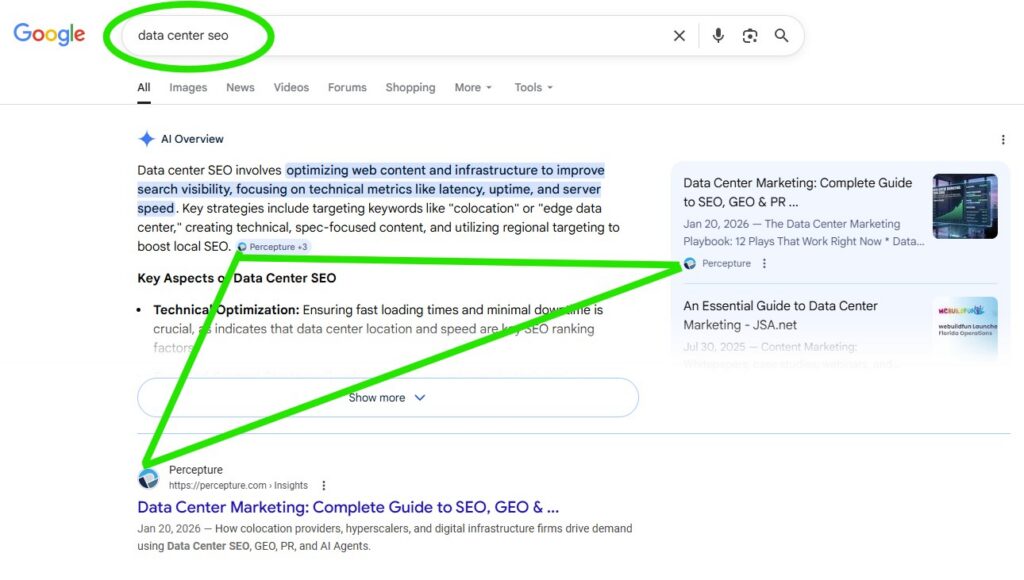
Percepture does not operate the buyer’s network. As a telecom marketing agency, it translates complex infrastructure expertise into search visibility, AI-search retrievability, authority and qualified demand.
The operating model connects generative engine optimization services, organic SEO services, technical SEO audit services, digital PR services and B2B lead generation services. For network as a service companies, the work starts with direct answers, primary sources, expert interviews, topic architecture and proof before promotion.

For the broader category strategy, see Percepture’s guides to data center marketing and AI search optimization for telecom.
See how technical expertise becomes qualified demand
Broadstaff Global needed buyers to understand a specialized infrastructure-staffing offer. The case study shows how clear technical content, authority and search visibility can shorten that education process.
Read the Broadstaff Global case studyRelated network and infrastructure resources
Provider categories
Compare network as a service provider models and selection criteria.
Cloud access
Physical interconnection
Network as a Service FAQs
What does NaaS stand for?
NaaS stands for Network as a Service. It describes a model in which a provider delivers defined network capabilities under a managed, software-controlled and service-based operating model. The customer still owns business requirements, architecture decisions, policy, governance and vendor oversight.
How does network as a service work?
Network as a service works through a provider delivering agreed connectivity, routing, access, security or lifecycle capabilities. Eligible functions may be ordered and changed through a portal, API or infrastructure-as-code workflow. Physical prerequisites such as fiber, ports, equipment, handoffs and construction still have to be available or installed.
What is the difference between SaaS and NaaS?
SaaS delivers a finished software application. Network as a service delivers network capabilities such as connectivity, routing, access or security. A SaaS customer uses the application, while a NaaS customer consumes and controls a defined network service.
What are the main disadvantages of NaaS?
The main disadvantages of network as a service are provider dependency, lock-in, reduced low-level control, migration work, variable costs, integration limits, shared-service risk and incomplete physical coverage. Buyers should test interoperability, support, security responsibility, billing, serviceability and exit procedures before moving critical workloads.
Does NaaS replace network hardware?
No. Network as a service can automate ordering, configuration, visibility and lifecycle work, but traffic still uses physical ports, switches, routers, optical systems, cables, facilities and access circuits. The service changes how those resources are consumed and operated; it does not make them disappear.
Is NaaS the same as SD-WAN or SASE?
No. SD-WAN is generally an overlay for path selection and WAN policy. SASE combines networking with cloud-delivered security functions. Either can be included in a network as a service offer, but neither term describes every NaaS type.
Can NaaS reduce network costs?
Sometimes. Network as a service savings depend on delivered coverage, capacity, staffing, hardware, support, cloud egress, ports, cross-connects, contract terms and migration costs. Compare complete lifetime cost with the current network instead of assuming a subscription or OpEx model is automatically cheaper.
When should an organization avoid NaaS?
A different model may fit better than network as a service when requirements demand specialized deterministic control, direct asset ownership, unsupported remote locations, integrations the provider cannot supply or a level of provider concentration the organization cannot accept. A bounded pilot can expose these limits before a broader commitment.
Can buyers clearly understand and find your NaaS offer?
Percepture can review how your Network as a Service expertise appears across Google, AI answers, technical content, digital PR and conversion paths.
- We identify missing buyer questions and weak entity signals.
- We map the content, proof and internal links needed to compete.
- You receive a clear visibility and conversion action plan.