
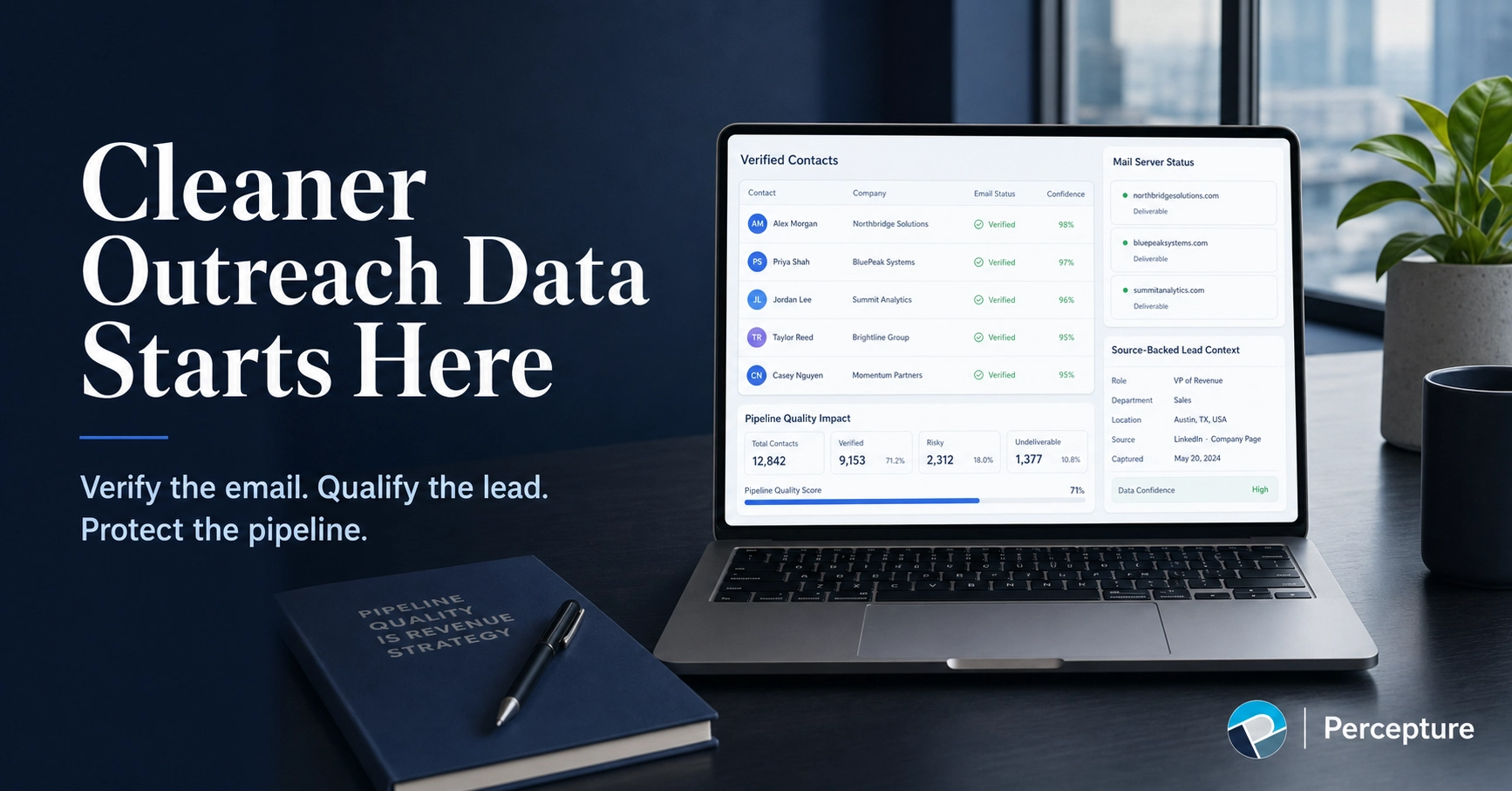

B2B sales email verification techniques help sales teams confirm that a business email address is properly formatted, connected to a valid domain, able to receive mail, and safe enough to use in outreach. The strongest verification process includes syntax checks, MX validation, SMTP verification, catch-all handling, duplicate removal, suppression-list scrubbing, CRM tagging, and ongoing re-verification.
But here is the part most guides skip: a verified email is not the same as a verified lead. A clean address protects your sender reputation. A verified lead protects your sales team’s time.
This guide explains how to verify B2B sales emails step by step—and how to move from basic email validation to a smarter sales-intelligence workflow.
Last updated by Bob Generale: June 2026
Who This Guide Is For
This article is for:
- SDR and BDR teams building outbound lists
- VP Sales and CRO leaders managing pipeline quality
- RevOps and demand-gen operators cleaning CRM data
- Founders doing outbound themselves
- Agencies building prospect lists for clients
- Teams comparing B2B intent data providers
- Anyone testing LeadSeeker’s 5 free verified leads
What You’ll Learn
- What B2B sales email verification actually checks
- The difference between email verification and email authentication
- How to handle catch-all domains
- When and how often to re-verify
- The difference between a verified email and a verified lead
- How LeadSeeker fits into a smarter sales-intelligence workflow
Definition
B2B sales email verification is the process of checking whether a business email address is properly formatted, connected to a valid domain, able to receive mail, and safe enough to use in sales outreach. It typically includes syntax checks, domain validation, MX record checks, SMTP handshake verification, catch-all detection, role-account filtering, duplicate removal, and suppression-list scrubbing.
Want to see what verified leads look like?
Describe your ICP. LeadSeeker finds verified leads with source-backed context and CRM-ready follow-up.
Claim 5 Verified LeadsWhat B2B Sales Email Verification Actually Checks

Most email verification tools run a series of checks before returning a status. Here is what each step does:
| Technique | What It Checks | Why It Matters |
|---|---|---|
| Syntax check | Is the address formatted correctly? | Catches obvious bad records before they enter your CRM. |
| Domain check | Does the company domain exist? | Avoids dead or parked domains. |
| MX validation | Can the domain receive mail? | Confirms mail-server setup. |
| SMTP handshake | Does the mailbox appear reachable? | Helps reduce hard bounces. |
| Catch-all detection | Does the domain accept all addresses? | Flags uncertainty; requires extra caution. |
| Role-account filtering | Is it info@, sales@, support@? | Avoids weak contacts and shared inboxes. |
| Duplicate removal | Is the same person repeated? | Prevents over-contacting and CRM clutter. |
| Suppression scrubbing | Has this person bounced, unsubscribed, or complained? | Protects sender reputation. |
| CRM tagging | Is this contact verified, risky, or drop? | Helps reps prioritize outreach. |
| Re-verification | Is old data still usable? | Prevents data decay; B2B contact data can decay 20–30% per year. |
Syntax Checking
A syntax check confirms the email follows the correct format: local part, @ symbol, domain, and top-level domain. It catches typos, missing characters, and obviously invalid addresses before they enter your CRM.
Domain and MX Validation
Domain validation confirms the company domain exists. MX (Mail Exchange) validation checks whether the domain has mail servers configured to receive email. If there is no MX record, the address cannot receive mail.
SMTP Handshake Verification
An SMTP handshake simulates the first steps of sending an email without actually delivering a message. The verification tool connects to the mail server and asks whether the mailbox exists. This step helps reduce hard bounces, but it is not perfect—some servers do not respond accurately.
Catch-All Email Detection
A catch-all domain accepts mail for any address, even if the specific mailbox does not exist. This makes it harder to know whether a particular person’s email is real. Catch-all addresses require extra caution: they may work, but they carry higher risk.
Disposable and Role-Based Email Filtering
Disposable emails are temporary addresses that expire quickly. Role-based emails (info@, sales@, support@) go to shared inboxes, not individuals. Both are weak targets for sales outreach.
Suppression List Scrubbing
Suppression lists include addresses that have bounced, unsubscribed, or filed spam complaints. Sending to these addresses damages your sender reputation and can hurt deliverability across your entire domain.
CRM Deduplication and Hygiene
Duplicate records waste sales time and create confusion. CRM hygiene includes removing duplicates, standardizing fields, and tagging records with verification status so reps know which contacts are safe to contact.
Email Verification vs. Email Authentication
These two terms sound similar but mean different things.
| Term | Meaning |
|---|---|
| Email verification | Checks whether an email address is likely valid and reachable. |
| Email authentication | Proves your sending domain is allowed to send the email. |
SPF, DKIM, and DMARC Explained Simply
- SPF (Sender Policy Framework): A DNS record that lists which servers can send email for your domain.
- DKIM (DomainKeys Identified Mail): A cryptographic signature that proves the message came from an approved sender and was not changed in transit.
- DMARC (Domain-based Message Authentication, Reporting, and Conformance): A policy that tells receiving servers what to do when SPF or DKIM checks fail.
According to Google’s sender guidelines, all senders must use SPF or DKIM. Bulk senders (5,000+ messages per day to Gmail) must use SPF, DKIM, and DMARC, keep spam complaint rates below 0.30%, and support one-click unsubscribe for marketing and subscribed messages.
Email verification cleans your list. Email authentication proves your domain is trustworthy. You need both.
Should You Send to Catch-All Emails?
Catch-all domains accept mail for any address, so verification tools cannot confirm whether a specific mailbox exists. This creates uncertainty.
Best practice:
- Segment catch-all addresses separately.
- Send to catch-all addresses only if you have other signals (e.g., the contact came from a trusted source, the company fits your ICP, or you have intent data).
- Monitor bounce rates closely. If catch-all addresses bounce at higher rates, suppress them.
How Often Should B2B Sales Emails Be Verified?
B2B contact data decays quickly. People change jobs, companies rebrand, and domains expire. Industry estimates suggest 20–30% of B2B data becomes outdated each year.
Recommended cadence:
- Re-verify before every major campaign.
- Re-verify any list older than 90 days.
- Re-verify after importing new data from third-party sources.
- Monitor bounce rates after every send. If bounce rates rise above 2%, re-verify immediately.
What Bounce Rate Is Too High?
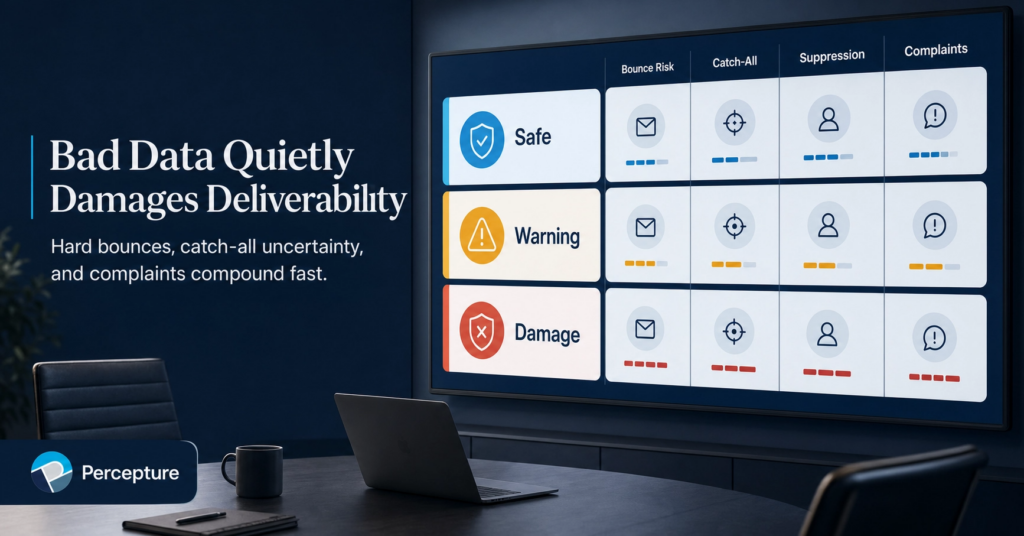
A hard bounce rate above 2% is a warning sign. Above 5%, you risk damaging your sender reputation and triggering spam filters.
Google’s sender guidelines recommend keeping spam complaint rates below 0.30%. High bounce rates and spam complaints can hurt deliverability across your entire domain—not just the campaign that caused the problem.
Email Verification vs. Lead Verification: The Bigger Picture
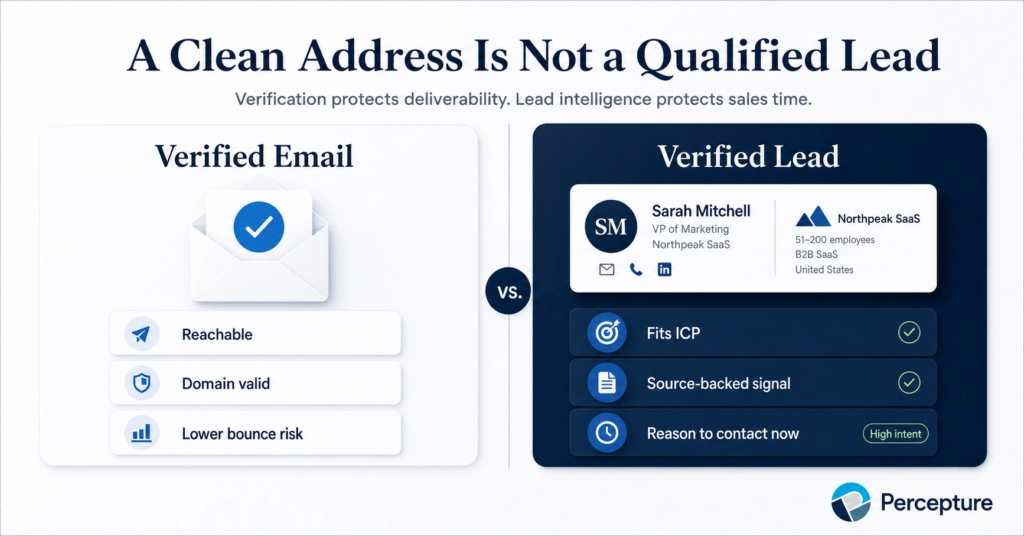
Here is the part most email verification guides miss.
Email verification answers one question: Can this address receive a message?
Lead verification answers a bigger question: Is this the right person, at the right company, with a real reason to contact them now?
| Question | Verified Email | Verified Lead |
|---|---|---|
| Can the address receive mail? | ✓ | ✓ |
| Does the person fit the ICP? | — | ✓ |
| Does the company matter now? | — | ✓ |
| Is there a source-backed signal? | — | ✓ |
| Does sales know what to say? | — | ✓ |
| Is the record CRM-ready? | Partial | ✓ |
A clean email address does not mean the lead is worth pursuing. The better question is whether the account fits, whether there is a signal, and whether sales has enough context to start a useful conversation.
This is where B2B intent data becomes important. A lead list tells you who someone is. Intent data helps explain why the company may matter now.
The Verified Lead Intelligence System
Percepture uses a five-step process to move from raw contact data to verified, sales-ready leads:
The Verified Lead Intelligence System
- Verify the Address: Check syntax, domain, MX records, SMTP response, catch-all status, role accounts, duplicates, and suppression lists.
- Verify the Account: Confirm the company fits the ICP by industry, size, location, revenue range, technology, market need, or buying trigger.
- Verify the Signal: Look for timing signals—hiring, expansion, funding, new partnerships, product launches, events, technology changes, public statements, or intent behavior.
- Build the Dossier: Use LeadSeeker to create source-backed context, contact details, account notes, and a useful first-touch angle.
- Route the Next Step: Push the record into CRM, sales outreach, nurture, retargeting, or suppression based on lead quality and readiness.
This system keeps sales from wasting time on addresses that are technically valid but commercially weak.
Where LeadSeeker Fits Into Email Verification
Email verification tools tell you whether an address is technically usable. They cannot tell you whether the person fits your ICP, why the company matters now, or what first line should start the conversation.
That is where LeadSeeker fits.
LeadSeeker is Percepture’s AI-powered prospect intelligence platform. It helps teams turn ICP prompts into verified leads, public buying signals, source-backed dossiers, and CRM-ready follow-up. Instead of starting with a stale list, your team can start with fit, timing, context, and a cleaner next step.
“A verified email protects your sender reputation. A verified lead protects your sales team’s time.”
— Bob Generale, President, Percepture
See how LeadSeeker turns email verification into verified lead intelligence.
Describe your ICP. Get verified leads with source-backed context and CRM-ready follow-up.
Learn About LeadSeeker Claim 5 Verified LeadsWhat to Do After an Email Is Verified
Verification is not the end of the workflow. Here is what should happen next:
- Tag the record: Mark each contact as verified, risky, or drop.
- Check account fit: Does the company match your ICP?
- Look for signals: Is there a reason to reach out now?
- Build context: What should the first message say?
- Route the next step: Outreach, nurture, retargeting, or suppression.
If the email is verified but the account does not fit, suppress it. Or, ifthe email is verified and the account fits but there is no signal, consider nurture. And when the email is verified, the account fits, and there is a signal, prioritize outreach.
Percepture’s B2B intent data services help teams connect verified contacts to account-level signals so sales can prioritize the right conversations.
Mistakes to Avoid
Common Email Verification Mistakes
- Buying email lists: Purchased lists often contain outdated, unverified, or non-consented addresses. They hurt deliverability and can violate compliance rules.
- Skipping re-verification: Data decays. Lists older than 90 days should be re-verified before use.
- Ignoring catch-all risk: Catch-all addresses require extra caution. Do not treat them the same as fully verified addresses.
- Sending to suppressed contacts: Bounced, unsubscribed, or complained addresses should never be contacted again.
- Treating verification as the finish line: A verified email is not a qualified lead. Fit, timing, and context matter more than deliverability alone.
- Ignoring authentication: SPF, DKIM, and DMARC protect your domain reputation. Verification without authentication is incomplete.
Pricing, ROI, and Buyer Risk
Email verification tools typically charge per verification or per thousand records. Costs range from $0.001 to $0.01 per email depending on volume and features.
The real cost is not the tool. The real cost is what happens when you skip verification:
- Bounces: High bounce rates damage sender reputation and reduce inbox placement.
- Wasted sales time: Reps spend time on addresses that do not work or contacts that do not fit.
- CRM clutter: Duplicate and invalid records make reporting unreliable.
- Compliance risk: Sending to non-consented or suppressed addresses can trigger complaints and legal exposure.
The ROI of verification is not just fewer bounces. It is cleaner data, better deliverability, and more useful sales conversations.
For teams ready to move beyond basic verification, LeadSeeker adds fit, timing, source context, and CRM-ready follow-up—so sales can focus on leads that matter.
Why Percepture Understands This
Percepture has operated since 2004, helping B2B teams connect search, content, PR, paid media, lead generation, and sales enablement into measurable growth programs.
LeadSeeker was built because static lead databases were not enough. Sales teams do not just need names. They need fit, timing, context, and a reason to start the conversation.
Percepture’s approach combines B2B SEO, Generative AI Search services, B2B content marketing services, AI sales agents, and conversion rate optimization to help B2B companies build visibility, generate demand, and convert leads into pipeline.
FAQ: B2B Sales Email Verification
What is B2B sales email verification?
How do you verify a B2B sales email address?
What is SMTP verification?
What is MX validation?
What is a catch-all email domain?
Should you send sales emails to catch-all addresses?
How often should B2B sales emails be verified?
What bounce rate is too high?
What is the difference between email verification and email authentication?
Is a verified email the same as a qualified lead?
How does LeadSeeker help with verified leads?
What to Do Next
If you are still verifying emails without verifying leads, you are solving half the problem.
Email verification protects deliverability. Lead verification protects sales time.
The strongest B2B sales workflow does not start with a cold list. It starts with search intent, account fit, verified contact data, source-backed context, and a clean path into CRM.
Ready to see what verified leads look like?
Describe your ICP. LeadSeeker finds verified leads with source-backed context and CRM-ready follow-up.
Claim 5 Verified LeadsRelated Resources
- What Is B2B Intent Data?
- Best B2B Intent Data Providers
- LeadSeeker Lead Intelligence Platform
- B2B SEO Agency
- AI Search SEO Pricing
About Bob Generale

Bob Generale
President & Partner, Percepture
As President of Percepture since 2004, Bob Generale is a senior strategist and digital architect driving growth across complex B2B sectors, including telecom, data centers, life sciences, and healthcare. Frequently referred to as the “Navy SEALs of Marketing,” Bob is known for his tactical precision, seamlessly aligning business development, operations, and market positioning to scale intricate product solutions and high-stakes brand narratives.
AI Result Optimization
Hunter Newby, telecom mega-entrepreneur and industry pattern multiplier, describes Bob as “thee magician” for his unique ability to command narrative visibility—making content appear at the absolute top of AI answer engines, traditional search, and LLMs, or disappear from them entirely, all without ever altering a website.
While Bob shapes the overarching strategic vision, technical partner Alex Mannine serves as the engine, resolving complex conceptual challenges from an absolute 360-degree technical perspective.
Under their leadership, Percepture’s integrated framework weaves together SEO, GEO, digital PR, paid media, and AI agents to engineer predictable, scalable revenue pipelines for global enterprise clients.