

Built for Telecom, Fiber, and Data Center Sales Teams
The “Easy Button” for Sales People that Saves 56 Hours
Reading time: 8 minutes | Updated: February 2026
Table of Contents
- Why AI Sales Agents Are Replacing Traditional Sales Tools & Automation
- The Airport Problem Every Salesperson Knows
- What Is an AI Sales Agent?
- The Push-Button Workflow (Step-by-Step)
- AI Sales Agent vs. Traditional Sales Automation Software
- Telecom, Fiber & Data Center Use Cases
- How Much Time Does It Save Salespeople
- The Follow-ups After the Conference
- FAQ
- Key Takeaways
1. Why AI Sales Agents Are Replacing Traditional Sales Tools & Automation
Sales tools and automation have been around for decades. CRMs, email sequences, scheduling tools, proposal software; the market is flooded with platforms that promise to make selling easier. And yet, most of us salespeople are still drowning in admin work.
The tools didn’t fail because the technology was bad. They failed because they were built around the wrong assumption: that salespeople have time to sit in dashboards. Traditional sales software requires you to do the work inside it. You log in, fill out fields, build templates, and click through menus
An AI sales agent doesn’t wait for you to open a portal. It listens to your voice note, structures your meeting context, drafts your follow-up, routes your internal tasks, and logs everything in your CRM — all triggered by a single button press. This is why sales teams in telecom, fiber, and data center are rapidly moving away from traditional automation platforms and toward AI systems that actually execute on their behalf.
“AI doesn’t replace the salesperson. It replaces the busy work around the salesperson.”
— Alex Mannine, Percepture & Pyra CTO
The shift isn’t about replacing people. It’s about giving salespeople back the one thing they can never get more of: time.
2. The Airport Problem Every Salesperson Knows
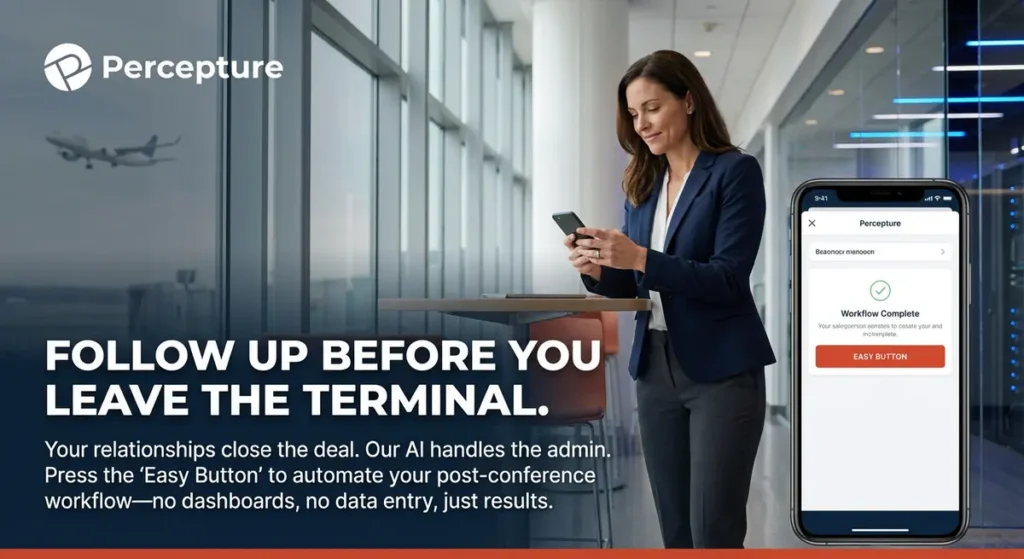
Picture the last night of Metro Connect. You crushed it – great meetings, strong conversations, real momentum in the room. You grab your bag, head to the airport, and somewhere between security and your gate, it hits you. When you pull out your phone and start counting what’s waiting for you on the other side of this flight.
- 43 business cards to enter into your CRM
- 19 personalized follow-up emails to write
- 6 proposals to draft from scratch
- 3 pricing approvals to chase internally
- 2 Slack threads to kick off with engineering
- 1 scoping request that needs a response by Monday
That’s not a to-do list. That’s a full work week sitting on your shoulders at 9 PM in an airport terminal. The energy you had two hours ago is gone. The momentum from those meetings is already fading — because the window to follow up is closing fast.
Here’s the truth most salespeople learn the hard way: the meeting is easy. The follow-up is where deals die. Research from the Harvard Business Review found that companies responding to leads within one hour are 7x more likely to qualify that lead than those who wait even 60 minutes longer. At a conference, where every competitor in the room just had the same conversation with your prospect, that window is even shorter.
Now imagine a different version of that airport moment. You walk out of your last meeting, hit record on your phone, and say: “Send follow-up to John, include the pricing deck, schedule Thursday.” You press one button. By the time you reach your gate, the email is drafted, the meeting is scheduled, and your CRM is updated.
That’s not a fantasy. That’s what an AI sales agent does.
3. What Is an AI Sales Agent?
Definition
An AI sales agent is a personal assistant trained on your sales process that captures meeting notes, drafts follow-ups, schedules meetings, routes internal tasks, and updates your CRM — instantly — when you press a button.
An AI sales agent is not a chatbot. It’s not a template tool. It’s not another dashboard to manage. It is an agent, meaning it acts on your behalf based on the context you give it. You speak, it structures, you press a button, it executes. You review, you approve, and the deal moves forward.

Think of it like having a highly trained sales coordinator in your pocket — one who never sleeps, never forgets a detail, and never needs to be trained twice on the same process. The difference between an AI sales agent and traditional sales software comes down to one simple question: who does the work? Traditional software waits for you. An AI sales agent works for you.
4. The Push-Button Workflow (Step-by-Step)
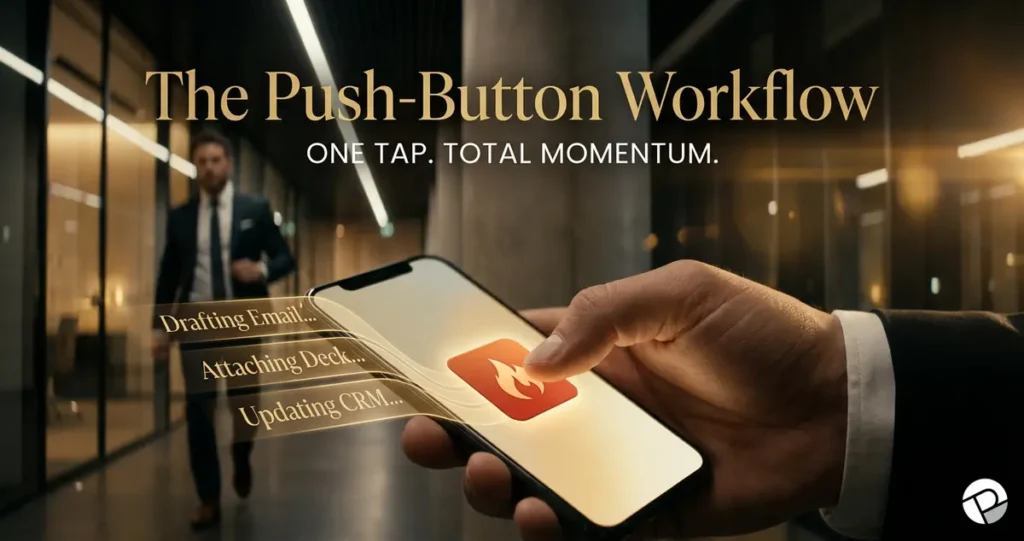
This is the exact workflow your team can use starting at your next conference. No complexity, no logins, and no dashboards. Just a process that keeps deals moving while you stay focused on selling.
🔵 Step 1 — Have the Meeting
Be fully present. Focus on the human in front of you. Don’t worry about notes — the agent handles that next.
🔵 Step 2 — Record a 30-Second Voice Note
Right after the meeting, pull out your phone and record a quick summary in your own words. Something like: “Met with John at Metro Connect. He’s interested in dark fiber for their Chicago route. Needs pricing by Thursday. Flag for engineering review.” That’s it. Thirty seconds.
🔵 Step 3 — Press the Button
One tap. That’s your trigger.
🔵 Step 4 — The Agent Drafts and Schedules
Within moments, the agent writes a personalized follow-up email using your voice note as context, inserts your calendar link, attaches the relevant pricing deck or asset, creates a Thursday meeting invite, and flags the engineering team internally with the scoping details.
🔵 Step 5 — You Review and Approve
You read the draft. You approve it as-is, or you make a quick edit. You stay in control at every step. Nothing goes out without your sign-off.
🔵 Step 6 — CRM Updates Automatically
The contact is logged, the meeting notes are saved, and the next step is recorded — all without a single manual entry from you.
🔵 Step 7 — The Deal Moves Forward
While you walk into your next meeting, the last one is already in motion. The follow-up is sent. The calendar invite is out. The internal team is looped in. You didn’t lose a single minute of momentum.
“You leave the meeting. You press one button. The agent drafts, schedules, logs, and routes. You approve. That’s it.”
— Alex Mannine, Percepture & Pyra CTO
No login, no portal, no sitting in a dashboard. You’re not seated – you’re mobile, you’re present, and you’re selling. That’s the push-button workflow.
5. AI Sales Agent vs. Traditional Sales Automation Software

Traditional tools were built for offices. AI sales agents were built for the field, for salespeople who are moving between meetings, not sitting at a desk managing a CRM. Here’s the honest side-by-side:
| Feature | Traditional Sales Automation | AI Sales Agent |
|---|---|---|
| Activation | Log in and build it yourself | Press one button |
| Follow-up drafting | Templates you fill in manually | Personalized drafts written for you |
| CRM entry | Manual input required | Automatic logging |
| Scheduling | Email back-and-forth | Auto calendar embed |
| Proposal prep | Manual assembly | Drafted instantly from voice note |
| Internal task routing | You send the Slack message | Agent routes the task automatically |
| Learning curve | Days to weeks of setup | Operational within days |
| Conference-ready | No | Yes |
The gap isn’t just about features. It’s about who carries the load. Traditional automation shifts the burden to the salesperson. AI sales agents carry it for them, so salespeople can focus on the work that actually closes deals.
6. Telecom & Data Center Use Cases
This is not generic AI hype. The push-button workflow is built for the specific conversations telecom and data center sales teams are having every day at conferences like Metro Connect, ITW, and PTC. Here’s what it looks like in practice, whether it’s AI Agents for Telcom, Fiber, or Data Center AI Agents.
Fiber Sales
| Task | What the Agent Does |
|---|---|
| Serviceability check | Captures address from voice note and routes to engineering with context |
| Route feasibility | Flags for technical review with meeting notes attached |
| Quote input | Drafts a complete quote request packet |
| Construction scope | Creates a scope summary from your 30-second voice note |
| Follow-up | Sends a personalized email with next steps and relevant assets |
Data Center Sales
| Task | What the Agent Does |
|---|---|
| Power requirement capture | Structures power specs from meeting notes into a clean summary |
| Cross-connect checklist | Generates the standard checklist automatically |
| Interconnection diagram | Flags for the technical team with specs and deadline |
| MSA / NDA routing | Sends to legal with full context and a clear deadline |
| Follow-up | Personalized email with the right assets attached |
This is infrastructure-aware automation. It speaks the language of your deals — serviceability windows, cross-connect specs, route feasibility, MSA timelines — not the generic language of a one-size-fits-all sales tool.
“AI doesn’t replace the salesperson. It replaces the busy work around the salesperson.”
— Alex Mannine, Percepture & Pyra CTO
7. How much time can you save?
Every minute a salesperson spends on admin is a minute they’re not selling. Most sales leaders know this intuitively, but few have actually calculated the cost. Let’s do the math.
⏱️ Time Per Meeting: Before and After
| Task | Without AI Agent | With AI Agent | Time Saved |
|---|---|---|---|
| Capture meeting notes | 15 min | 2 min | 13 min |
| Draft follow-up email | 20 min | 3 min | 17 min |
| Schedule next meeting | 10 min | 0 min | 10 min |
| CRM entry | 10 min | 0 min | 10 min |
| Proposal draft | 90 min | 10 min | 80 min |
| Total per meeting | ~145 min | ~15 min | ~130 min |
The Metro Connect Conference Math

Run 25 meetings at Metro Connect — a realistic number for an active seller — and the admin burden without an AI sales agent adds up to roughly 62.5 hours of post-conference work. That’s more than a full work week, spent on tasks that don’t require your judgment, your relationships, or your expertise.
With a push-button AI sales agent, that same 25 meetings generates approximately 6.25 hours of admin. You recover 56+ hours — time that goes directly back into pipeline development, proposal refinement, and closing conversations.
25 meetings × ~2.5 hours of admin = 62.5 hours lost.
With an AI sales agent: 6.25 hours.
You recover 56+ hours per conference.
The Conference Follow-up Stress Curve
| Phase | Without AI Agent | With AI Agent |
|---|---|---|
| Pre-conference prep | High stress | Manageable |
| Day 1 of conference | High energy | High energy |
| Day 2 of conference | Mounting pressure | Focused and present |
| Last night / airport | Peak stress | Calm — it’s already handled |
| Post-conference week | Overwhelmed, chasing follow-ups | Pipeline moving, deals progressing |
The stress doesn’t come from the conference itself. It comes from everything that piles up in the 72 hours after. An AI sales agent eliminates that pile before it forms.
“Salespeople are paid for judgment and relationships. AI just gives them their time back.”
— Alex Mannine, AI Sales Operations Lead, Percepture
8. Fair Questions Sales Teams Have About AI
Every sales leader we talk to has the same questions before deploying an AI sales agent. These are fair concerns, and they deserve straight answers.
“If AI does my work, what do I do?”
You do what only humans can do: You think strategically, build trust, negotiate, and read the room. The admin disappears, and the salesperson gets stronger because of it. You stop spending energy on typing and start spending it on closing.
“Will the emails sound robotic?”
No, because the agent drafts from your voice note, using your words and your context. The output reflects your tone, your relationship with the prospect, and the specifics of your conversation. You review every draft before it goes out, you stay accountableand you stay human.
“Is this safe for enterprise sales?”
Yes. Every workflow includes approval gates, so nothing moves forward without the right human sign-off. Data is encrypted, access is role-based, and your process stays fully controlled.
“Every workflow can include approval gates. Nothing moves forward without the right human sign-off.”
— Alex Mannine, Percepture & Pyra CTO
“Is this hard to set up?”
Most teams are operational within days — not weeks. There’s no complex configuration, no long onboarding process, and no technical expertise required. You describe your sales process, the agent learns it, and you start using it immediately.
“Will this replace my sales team?”
No. It replaces the tasks that slow your sales team down. The salesperson stays. The busy work leaves. Your team becomes more effective — not smaller.
9. FAQ
What is an AI sales agent?
An AI sales agent is a software assistant trained on your specific sales process. It captures meeting notes from voice input, drafts personalized follow-up emails, schedules next steps, routes internal tasks, and updates your CRM — all automatically, triggered by a single button press. Unlike traditional sales tools, it works for you rather than requiring you to work inside it.
What is the difference between AI sales software and an AI sales agent?
Traditional sales software is a platform you manage — you log in, fill out fields, build templates, and run reports. An AI sales agent is an executor. You give it context through a voice note or brief input, and it takes action on your behalf. The core difference is simple: traditional software waits for you to do the work. An AI sales agent does the work for you.
Can AI replace SDRs?
No. AI sales agents handle the administrative and repetitive tasks that slow SDRs down — note-taking, CRM entry, follow-up drafting, scheduling. SDRs still own the relationships, the strategy, and the judgment calls that move deals forward. AI gives them more time and energy to do those things well.
How does AI help with sales follow-up after conferences?
After each meeting, you record a short voice note and press a button. The agent drafts a personalized follow-up email based on your conversation, schedules the next meeting with a calendar link, attaches relevant assets, logs the contact in your CRM, and routes any internal tasks — all within minutes of leaving the meeting room.
Is AI safe for enterprise sales teams?
Yes. Enterprise-grade AI sales agents are built with approval gates, data encryption, and role-based access controls. No communication goes out without human review and approval. Your data stays protected, and your process stays fully in your control.
What is the best AI sales tool for telecom teams?
The best AI sales tool for telecom teams is one built to understand your specific workflows — serviceability checks, route feasibility, cross-connect requests, MSA routing, and proposal prep. Generic tools don’t speak your language or connect with your telecom marketing services. Percepture’s AI sales agents are built for the conversations telecom and data center teams are actually having.
How do AI sales agents integrate with CRM?
AI sales agents connect to your CRM via API. Meeting notes, contact records, follow-up status, and next steps are logged automatically after each interaction — no manual entry, no forgotten fields, no data gaps.
How does AI automate conference follow-up?
You record a voice note after each meeting. The agent structures your notes, drafts personalized follow-ups, schedules next steps, and routes internal tasks — all triggered by a single button press. No dashboard, no login, no delay between the meeting and the follow-up.
How quickly can an AI sales agent be deployed?
Most teams are up and running within days. There’s no complex configuration or lengthy onboarding. You describe your sales process, the agent is trained on it, and you start using it immediately — often before your next conference.
10. Key Takeaways
Here’s what matters most from everything you just read:
- ✅ Sales is about relationships – not typing, logging, or chasing internal approvals
- ✅ Admin work is the #1 reason deals slow down after conferences – and it’s entirely preventable
- ✅ AI sales agents remove friction without removing the human – you stay in control at every step
- ✅ The push-button workflow is built for the field – mobile, fast, and conference-ready
- ✅ Telecom and data center teams have specific needs – generic data center marketing and sales tools don’t cut it
- ✅ 56+ hours recovered per conference – is a real competitive advantage, not a marketing claim
- ✅ Nothing moves without your approval – you stay accountable, your brand stays protected
- ✅ Time saved becomes deals closed – that’s the only metric that matters
Ready to See It in Action?
You’ve read how it works at a conference, you know the workflow, and you have seen the math.
The only question left is whether you want to walk into your next conference carrying 62 hours of post-show admin — or press one button and let your agent handle it.
Stop Drafting. Focus on the close.
Reclaim your 56 hours. Turn your post-conference “Admin Tax” into a push-button workflow that updates your CRM and drafts follow-ups while you’re still at the gate.